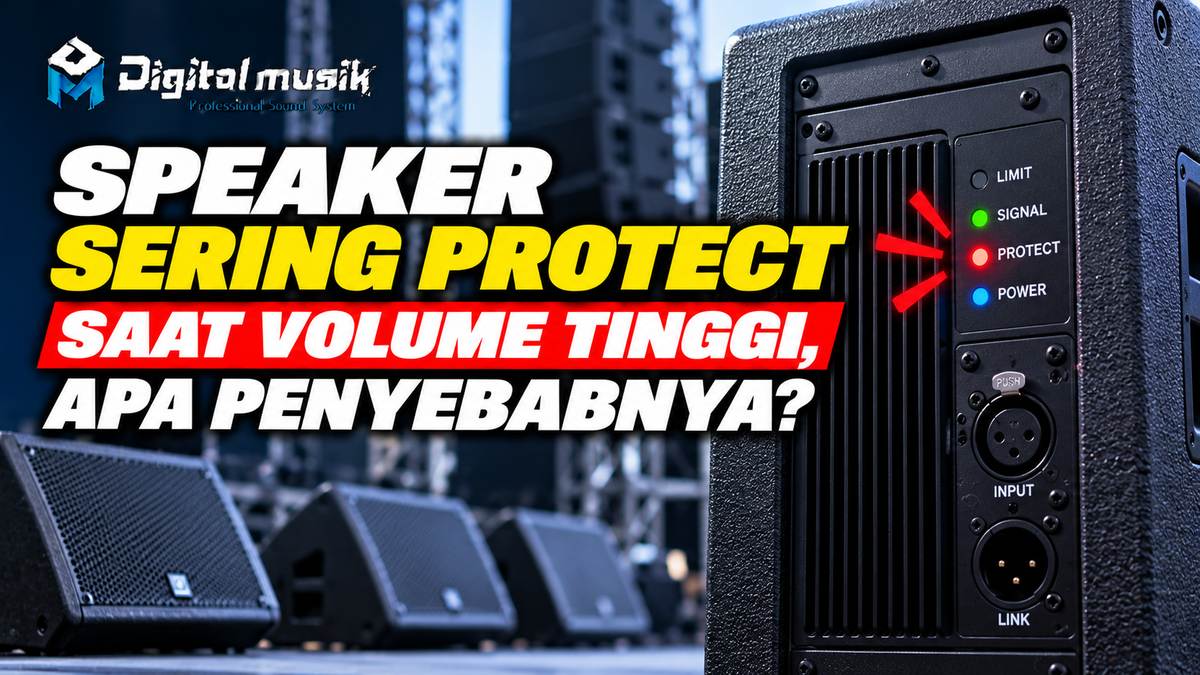
Why Do Speakers Often Go into Protect Mode at High Volume?
Are you enjoying the thumping music or live sound, and then suddenly your beloved speaker dies or the 'protect' indicator light comes on? This situation is certainly very annoying, especially during crucial moments. Protect mode on a speaker or amplifier is a safety feature designed to prevent component damage due to abnormal operating conditions. However, if this happens repeatedly, especially when the volume is turned up, it's a good idea to delve deeper into the causes.
Common Causes of Speakers Frequently Going into Protect Mode at High Volume
Several factors can trigger protect mode in your audio system. Understanding each cause will help you perform an initial diagnosis and take appropriate steps.
1. Overload on the Amplifier
This is the most common cause. When you turn the volume up too high, the amplifier is forced to work beyond its capabilities. An amplifier working too hard will generate excessive heat (overheating) and severely distorted audio signals (clipping). Many modern amplifiers have protection circuits that will shut down their output to prevent permanent damage to the amplifier itself or to the connected speakers.
2. Speaker Impedance That Is Too Low
Every amplifier has an impedance range (in Ohm) that it can handle. If you connect speakers with an impedance lower than recommended by the amplifier, the amplifier will draw more current than it should. This can cause the amplifier to overheat and trigger protect mode. Common examples include connecting 4 Ohm speakers to an amplifier designed only for 8 Ohm, or connecting too many speakers in parallel, causing the total impedance to become too low.
3. Speaker Driver Damage or Fatigue
Speaker components such as the voice coil or cone can suffer damage, either due to rough use, age, or exposure to elements. When a voice coil is damaged or starts to wear out, it can short circuit or generate excessive heat when current flows through it, especially at high volumes. This can trigger protection on the connected amplifier.
4. Problems with Speaker Cables
Poor quality, frayed speaker cables, or loose connectors can cause unwanted resistance or even short circuits. At high volumes, the current flowing through these cables will be even greater, and problems with the cables can easily trigger protect mode.
5. Improper Gain Setting (Clipping)
Clipping occurs when the audio signal is amplified beyond the amplifier's capability, causing the peaks of the sound wave to be cut off. A clipped signal contains very intense high-frequency harmonics that can overload and damage speaker drivers, as well as trigger amplifier protection. Too high a gain setting on the amplifier input or on the mixer is often the culprit.
6. Poor Amplifier Ventilation
Amplifiers generate heat as a byproduct of their operation. Good air circulation is crucial to maintain safe operating temperatures. If the amplifier's ventilation is obstructed (e.g., stacked with other devices, or placed in an enclosed space without airflow), heat will build up quickly. When the temperature reaches a critical point, the thermal protection circuit will activate.
Practical Diagnosis Steps and Solutions
Dealing with a speaker that frequently goes into protect mode can be frustrating, but with a systematic approach, you can find a solution:
- Check Gain Settings: Start by ensuring the gain on the amplifier and mixer is set correctly. First, turn up the audio source volume, then slowly increase the amplifier gain until it's close to the limit before distortion. Avoid letting the clip indicator light on the amplifier stay on constantly.
- Test Speaker Impedance: If you have a multimeter, you can measure your speaker's impedance. Make sure the impedance matches the amplifier's specifications. If you are unsure, consult the amplifier manual or an audio technician.
- Check Speaker Cables: Disconnect the speaker cables from the amplifier and speakers. Check for physical damage, frayed cable ends, or dirty/loose connectors. Clean connectors if necessary and ensure connections are tight. Try using another known good speaker cable for testing.
- Isolate the Problem: Try using another speaker that you know works well with the same amplifier. If the other speaker does not trigger protect, the problem is most likely with your original speaker. Conversely, if the other speaker also triggers protect, focus on the amplifier and its settings.
- Ensure Adequate Ventilation: Check that the amplifier has enough space around it for air circulation. Do not stack other electronic devices too closely on top of or next to the amplifier.
- Reduce Amplifier Workload: If you are constantly pushing the amplifier to its limits, consider using a more powerful amplifier or reducing the number of speakers connected simultaneously to keep the impedance within safe limits.
When to Seek Professional Help?
If, after performing basic checks, the protect problem persists, or if you suspect internal damage to the amplifier components or speaker drivers, it's time to seek professional help. Opening and repairing an amplifier or speaker without adequate knowledge can be risky and may worsen the damage.
In the professional audio ecosystem, ensuring every component works optimally is key. If you need further discussion regarding your audio system, component selection, or even custom needs for speaker cabinet, flight case, or other fabrikasi, PT Digital Musik Indonesia is ready to be your discussion partner. We understand the importance of audio system reliability, especially when peak performance is required.